
Bind your AI-grown systems, with AI. IceShore is now available
https://iceshore.ai/en/blog/ann/
On this page
Your AI gets better at system maintenance.
For developers who want their AI to tell them which business processes a system change will affect.
We are launching IceShore, a configuration-management platform for the age of AI. Connect IceShore to the AI assistant you already use, such as Claude Code, and you can ask that AI what a system change affects, in terms of business impact, processing impact, and external propagation. The answers come from your AI, not from IceShore.
Are maintenance questions going unanswered as your systems grow?
Generative AI has made development faster. Has the number of systems you look after grown too? The more systems you maintain, the harder it is to answer "what does this change affect?" with confidence, and code alone cannot answer it. Reading the code shows you the structure, but what the system does for the business is buried in incomplete documents and in the memory of whoever wrote it.
The same is true when development is outsourced and you don't know what is inside. While the impact stays unclear, teams tend to put off deciding to rewrite a system or shut it down, to avoid unexpected effects on the business. We believe that delay costs you business opportunities and keeps you paying to run servers nobody uses.
IceShore gives your AI the context it needs
IceShore guides your AI to write down, as use cases, what each system does for the business, then hands those use cases back to it. Your AI reads them, then answers your maintenance questions.
- Step 1: Connect your AI to IceShore.
Any AI assistant that supports MCP (Model Context Protocol) can connect. Setup guides are available for seven of them: Claude Code, Claude Desktop, OpenAI Codex, Cursor, Cline, GitHub Copilot, and Windsurf.
- Step 2: Your AI writes down the use cases.
IceShore guides your AI so it can draft use cases from the documents and code you have at hand.
- Step 3: IceShore builds the architecture.
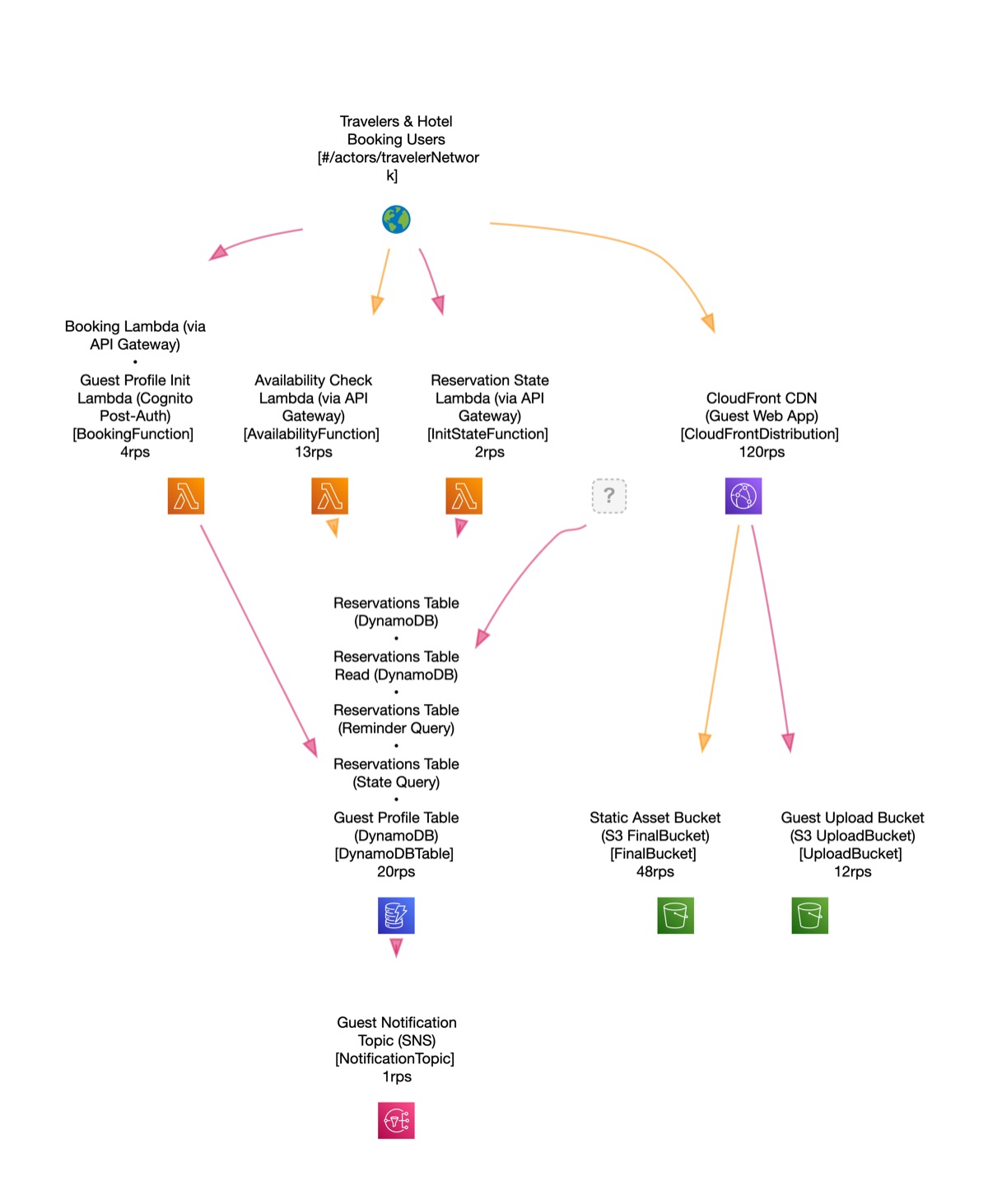
IceShore turns the use cases your AI drafted into an architecture and shows on screen how well your AI understands it. Where its understanding falls short, you can check and fill in the gaps.
- Step 4: Ask your AI what a change affects.
Based on the accumulated use cases, your AI answers questions about the business impact, processing impact, and external propagation of a system change.
- Step 5: Share it with your team.
The developer's AI and the maintainer's AI both refer to the same use cases in IceShore, so when team members or AI tools change, the work carries on from the same shared understanding.
In short, IceShore gives your AI the context it needs to get better at system maintenance. The systems that grew with AI can now be bound together by your AI.
Before storing the code your AI sends, IceShore automatically masks anything that looks like the value of an access key, JWT, private key, connection string, password, or token, and records each detection.
Pricing
| Plan | Price (USD, excl. tax) | What it covers |
|---|---|---|
| Free | $0 | One person, no cap on architectures, change history and diffs, MCP connection, up to 3 guests (view only). |
| Team | $19 per seat per month | Everything in Free, member invitations, 3 guests per seat. |
| Business | $39 per seat per month | Everything in Team, 12 months of audit-log viewing (the last 30 days on Free and Team; the records themselves are kept on every plan), audit-log CSV, bulk member updates, access rights list CSV. |
Team and Business start with a 14-day free trial. The trial starts with one seat, and no credit card is required. When the trial ends, the workspace moves to the Free plan automatically and nothing is charged. Once a workspace has returned to Free, you can still view its architectures, but no one can edit them. You can export their contents through the AI assistant you connected and keep editing in your personal workspace.
A seat is a reserved place for a member in your workspace. You are billed for every seat you purchase, including seats not yet assigned.
These USD prices apply when your registered country is outside Japan. Customers in Japan are billed in JPY: Team 3,000 JPY (3,300 JPY incl. tax) and Business 6,000 JPY (6,600 JPY incl. tax) per seat per month.
Try it without signing up
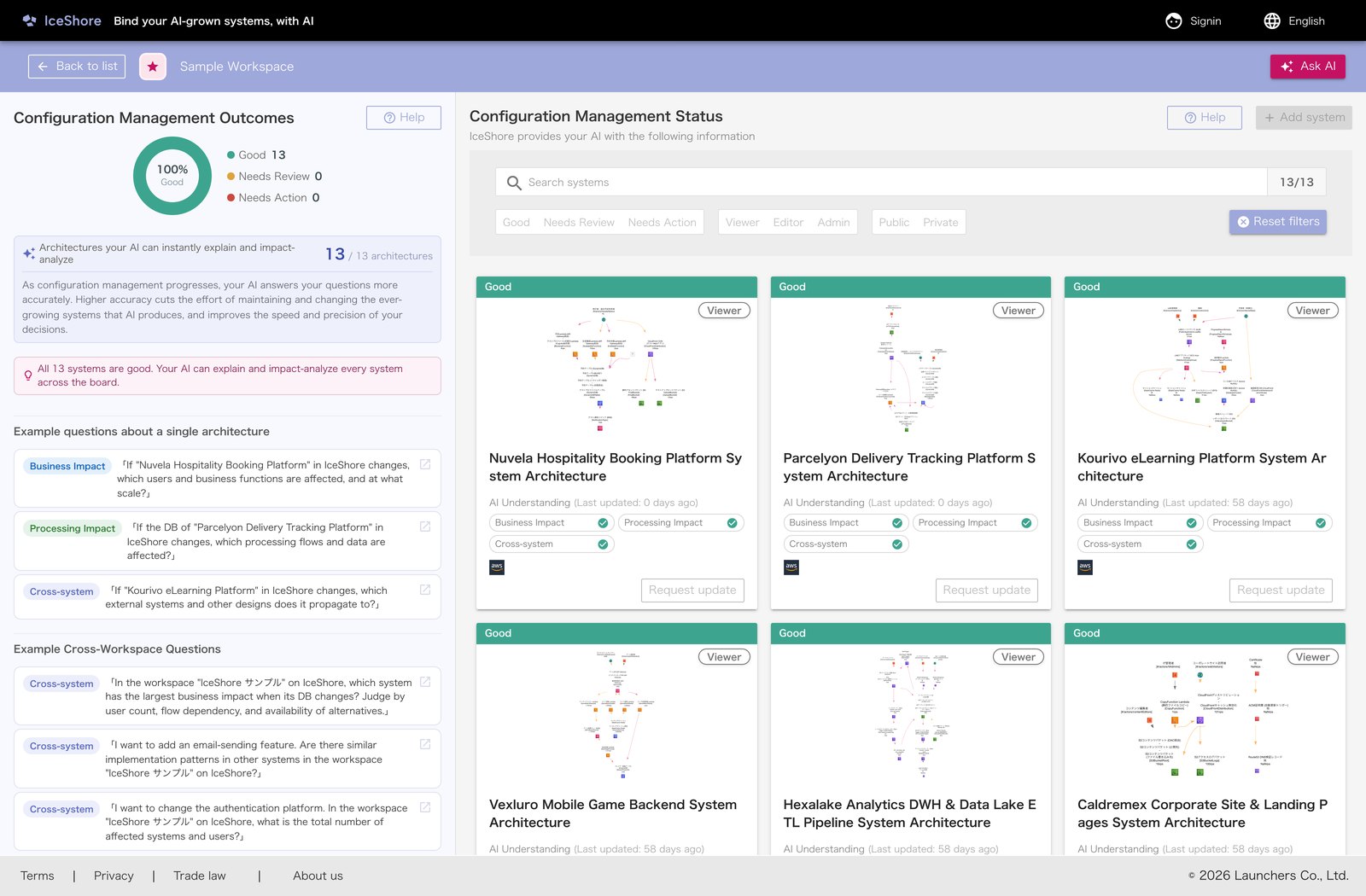
No account or email address needed. The sample architecture opens right in your browser. Connect your AI, and you can ask it: "If we stopped the medical-records database, who would be affected?"
https://app.iceshore.ai/workspace/sample/
The spec is public, and you can take your data out
IceShore stores architecture data in ADL (Architecture Description Language), a text format that Reindeer Technology Pte. Ltd. publishes under the Apache License 2.0. You can export your use cases as ADL text through the AI assistant you connected. Because the specification is public, any ADL you export stays readable after your contract ends. Ending a paid plan does not delete your workspace or its data.
https://github.com/reindeer-project/ArchitectureDescriptionLanguage
This page describes how your data is stored and encrypted, who can access it, and how connected AIs are managed:
https://help.iceshore.ai/en/data-and-trust.html
Where the name comes from
The name IceShore comes from the image of drifting ice floes gathering at a shore and holding their shape.
The age of AI-grown systems, multiplying without end. The countless systems we've created drift on like ice floes. IceShore wants to be the icy shore that gently moors them together, with AI. Toward a world where humans and AI behold the same ice field, and walk together.
Provided by Launchers Co., Ltd. / Contact: support@iceshore.ai