Ever-growing code
Copy-pasted lines went from 8.3% to 12.3%, duplicated blocks up 8x. Refactoring fell from 25% to under 10%.
Source: GitClear 2024 IceShore
IceShore gives your AI what each system does for the business — its use cases.
IceShore guides your AI to write down what each system does for the business — its use cases — then hands them back. Your AI answers the business impact of a change and how far it propagates.


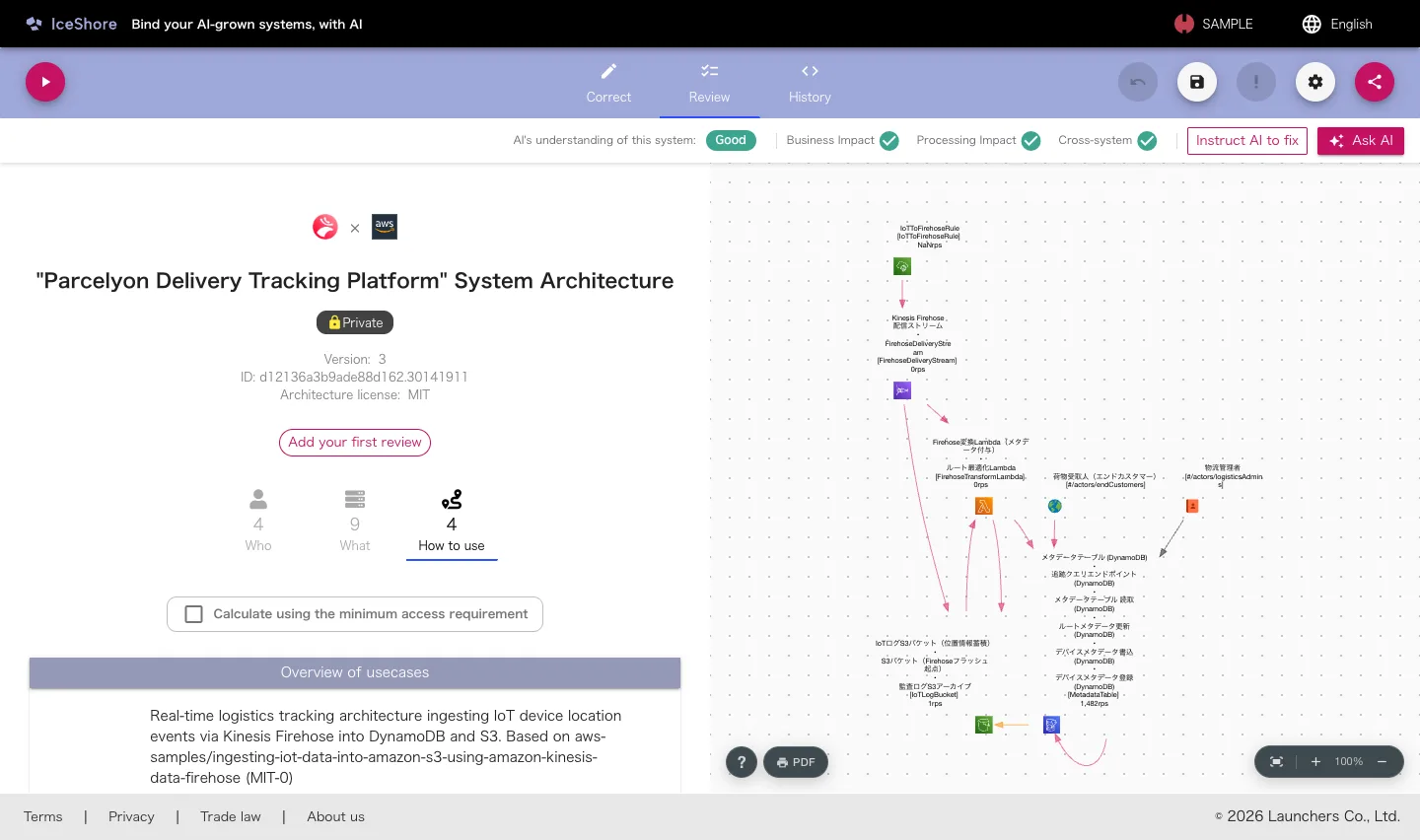 Correct your AI's understanding
Review your AI's understanding
Verify the raw data the AI wrote
Your AI's understanding, visualized
Correct your AI's understanding
Review your AI's understanding
Verify the raw data the AI wrote
Your AI's understanding, visualized
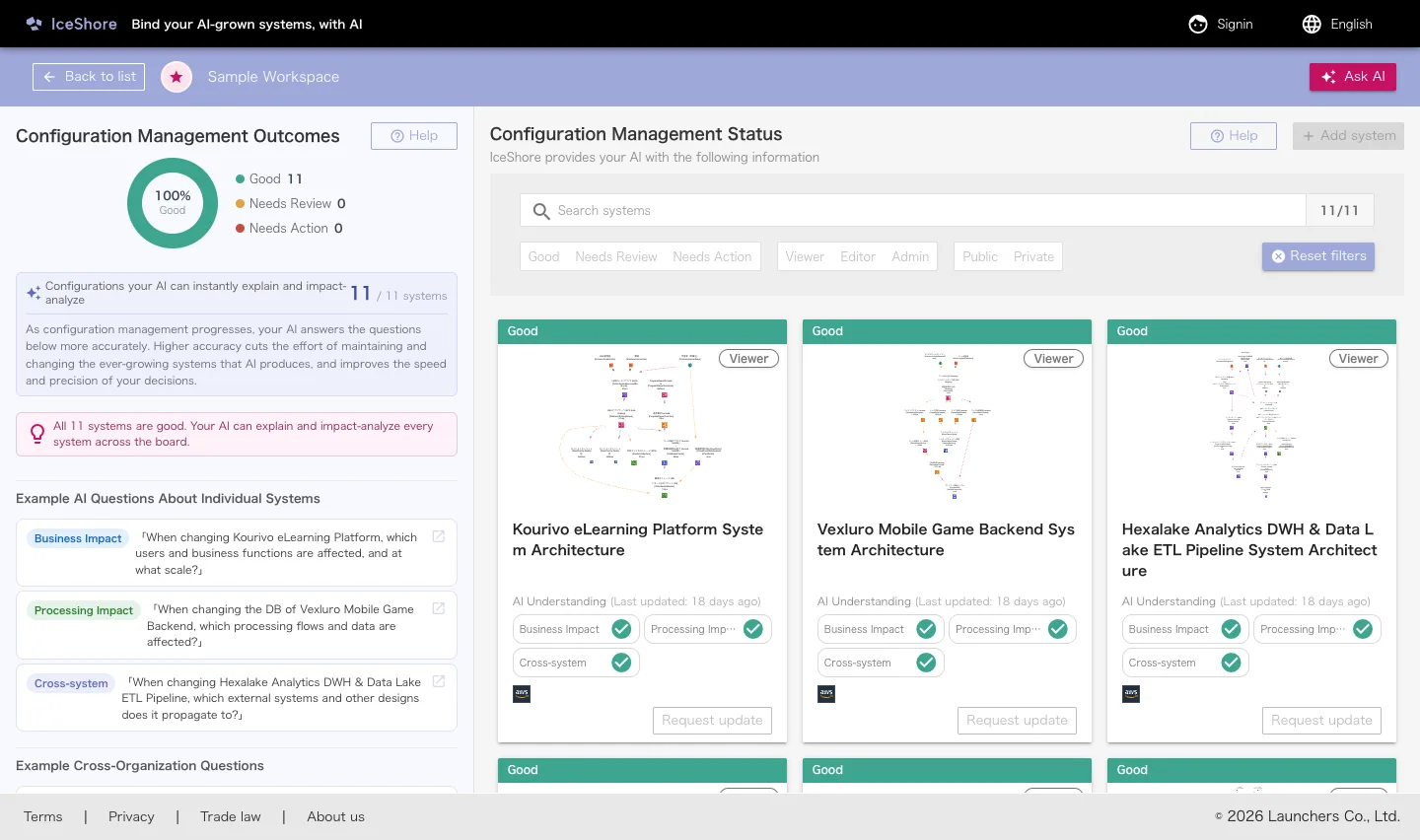 AI understanding status
The systems your AI has mapped
AI understanding status
The systems your AI has mapped

Copy-pasted lines went from 8.3% to 12.3%, duplicated blocks up 8x. Refactoring fell from 25% to under 10%.
Source: GitClear 2024Nobody can tell what a change hits. Systems sprawl, and finding them at all becomes the problem.
Source: Backstage / large-scale reportsDevelopers spend 58% of their time on comprehension, and 42% of the week dealing with technical debt.
Source: Microsoft research / Stripe“What does this system actually do for the business?” No amount of code analysis will tell you — it was never written in the code. IceShore has your AI write it down as use cases and hands them back, adding depth and edge to your judgement.
Your AI
You
 IceShore

A small team shipping fast with AI, and running everything it ships.
Hand maintenance to the AI and the answers ignore business impact and dependencies.
With the use cases in hand your AI answers precisely, and you keep your pace.

Every department built its own tools with AI. You need the org-wide view.
Change impact is unreadable, so the inventory stalls and the approvals stall with it.
AI answers impact questions across the org, and sharing hands over no credentials.

You maintain and extend legacy systems you inherited or someone else built.
No docs, no original authors. Ask the AI and it misses what the system is for.
Your AI drafts the use cases from your docs and code; you correct them and teach it back. Past projects stay available.
Solo stays free. The more of the team uses it, the deeper your AI's understanding grows.
Ramping up just one new hire faster already avoids opportunity cost in the tens of thousands of dollars (our estimate: the new hire's salary x 1.5 months, plus the salary of the existing members supporting them).
Prices are in USD and exclude tax. Customers in Japan are billed in JPY (3,000 / 6,000 JPY per seat·month, excl. tax), with Japanese consumption tax added.
Team and Business begin with a 14-day free trial (one seat, no card required; it reverts to Free afterwards with no automatic charge).
A seat is one paid place in a workspace (equivalent to one licence or one user seat elsewhere). Guests don't use a seat, so they cost nothing. On Free they can view; commenting starts on Team.
Both Team and Business start at one seat. For larger rollouts or specific requirements, email support@iceshore.ai.
IceShore never sends your content to a generative AI. Drafting and answering both happen on the AI you already use. IceShore acts as an MCP server, returning architecture information when your AI asks for it.
In the AWS Tokyo region (ap-northeast-1). Stripe processes payments and we never hold card data. The details are in our privacy statement.
They are detected and masked before anything is stored. Access keys, JWTs, private keys, connection strings and password or token values are covered, on both the in-app save path and the MCP save path. Every detection is recorded.
Yes. In the History tab of your own architecture (editor or above), each saved file opens version by version, down to the diff against the previous one. Every version records whether it was written by the AI over MCP or edited by a person.
Any AI client that speaks MCP. Authorisation uses OAuth 2.1 + PKCE with signed access tokens, so you are not locked to one AI vendor.
Free forever for a single person. Creating architectures, connecting over MCP and change history are all included. Paying starts when you invite members to work together. On the Free plan after a paid plan has ended, the members you already had can view and export the architectures, but no one can edit them.
Cancelling keeps your access until the end of the current billing period — nothing is cut off immediately. After that the workspace switches to the Free plan: you can still view and export your architectures, but no one can edit them. Members stay. You cannot invite anyone new, and any share link already issued stops working. Subscribing again restores editing. Adding or removing seats is prorated at that moment (increases are billed immediately; decreases are credited against your next invoice — they are not refunded).
Yes. We are a registered invoice issuer in Japan (registration number T7010001137750, Launchers Co., Ltd.). Invoices carrying the number are available in the app under "Invoices & payment method". The payment receipt emailed after checkout does not include it.
The age of AI-grown systems, multiplying without end. The countless systems we've created drift on like ice floes. IceShore wants to be the icy shore that gently moors them together, with AI.

