
Answers “The expert who knew this API has left. Who’s affected if we shut it down?”
Connect your AI to IceShore, and it answers questions about the impact of system changes with your use cases in mind. Even when the experts are gone, or vibe coding has made the system tangled, you can see the real impact and keep maintaining it.
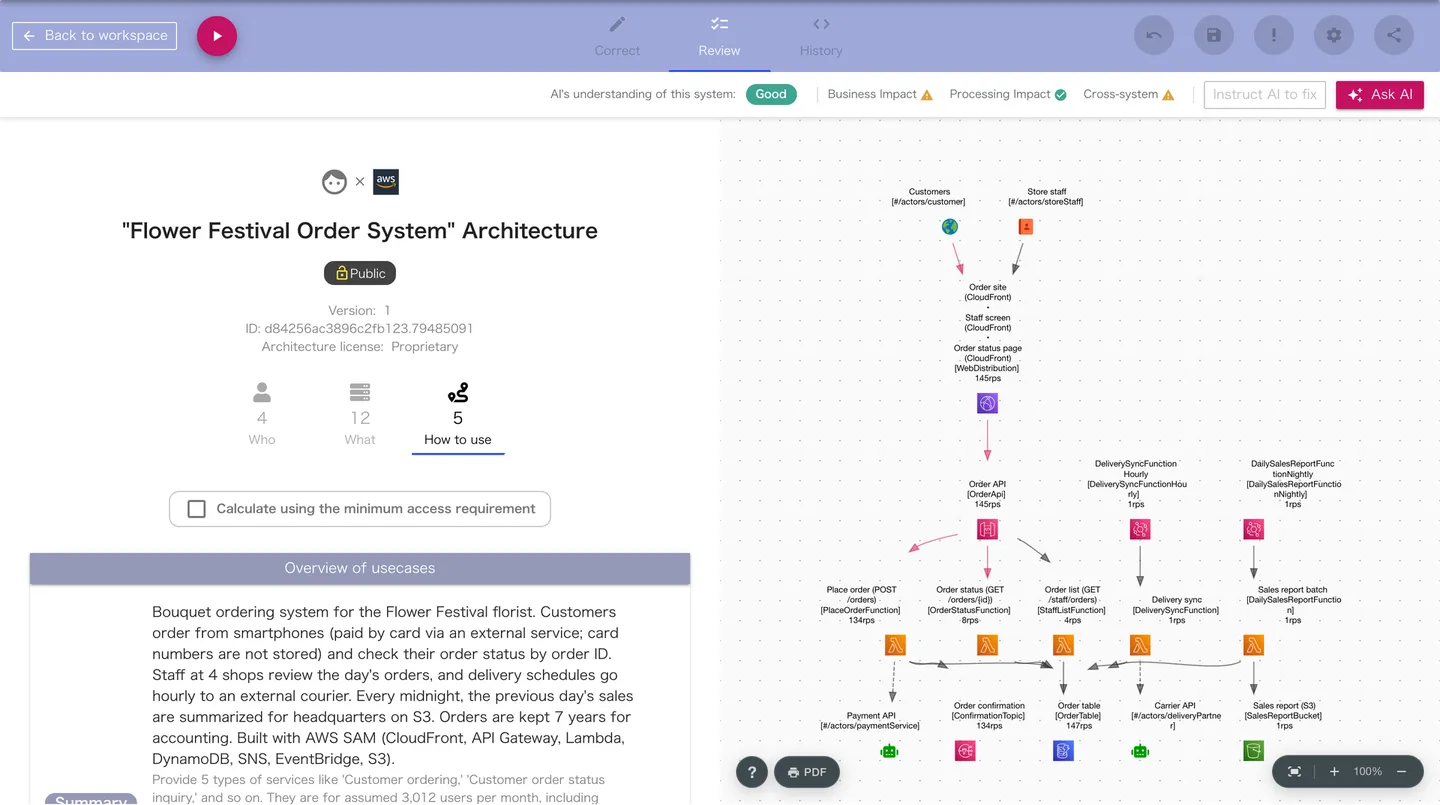
1
Set up
First, connect your AI to IceShore over MCP and ask it to create an architecture diagram of your system. Along the way, the AI organizes the use cases so it’s ready to answer your questions accurately.
 You“Create an architecture diagram of our system”
 Your AIOrganizes the use cases and sends the diagram data
- IceShore
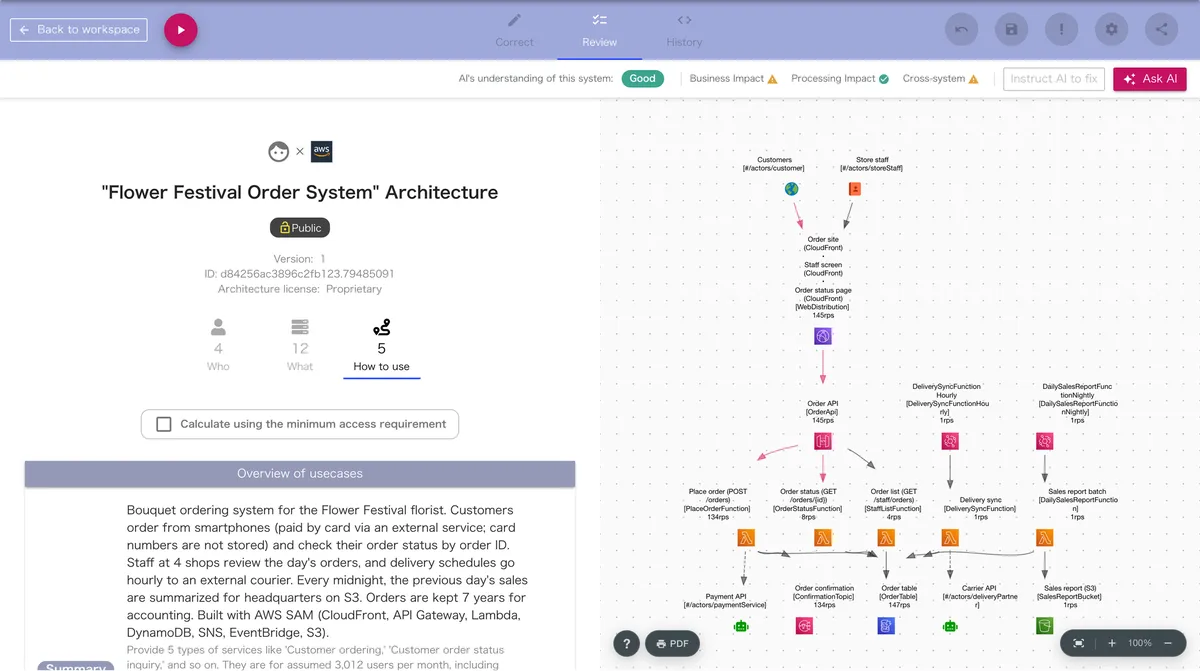
2
Review
Check the diagram your AI created in IceShore, and correct anything it got wrong or that raises questions.
Fix it with AI
Ask your AI to correct the diagram

Or fix it on screen
You can also correct the diagram in IceShore’s editor
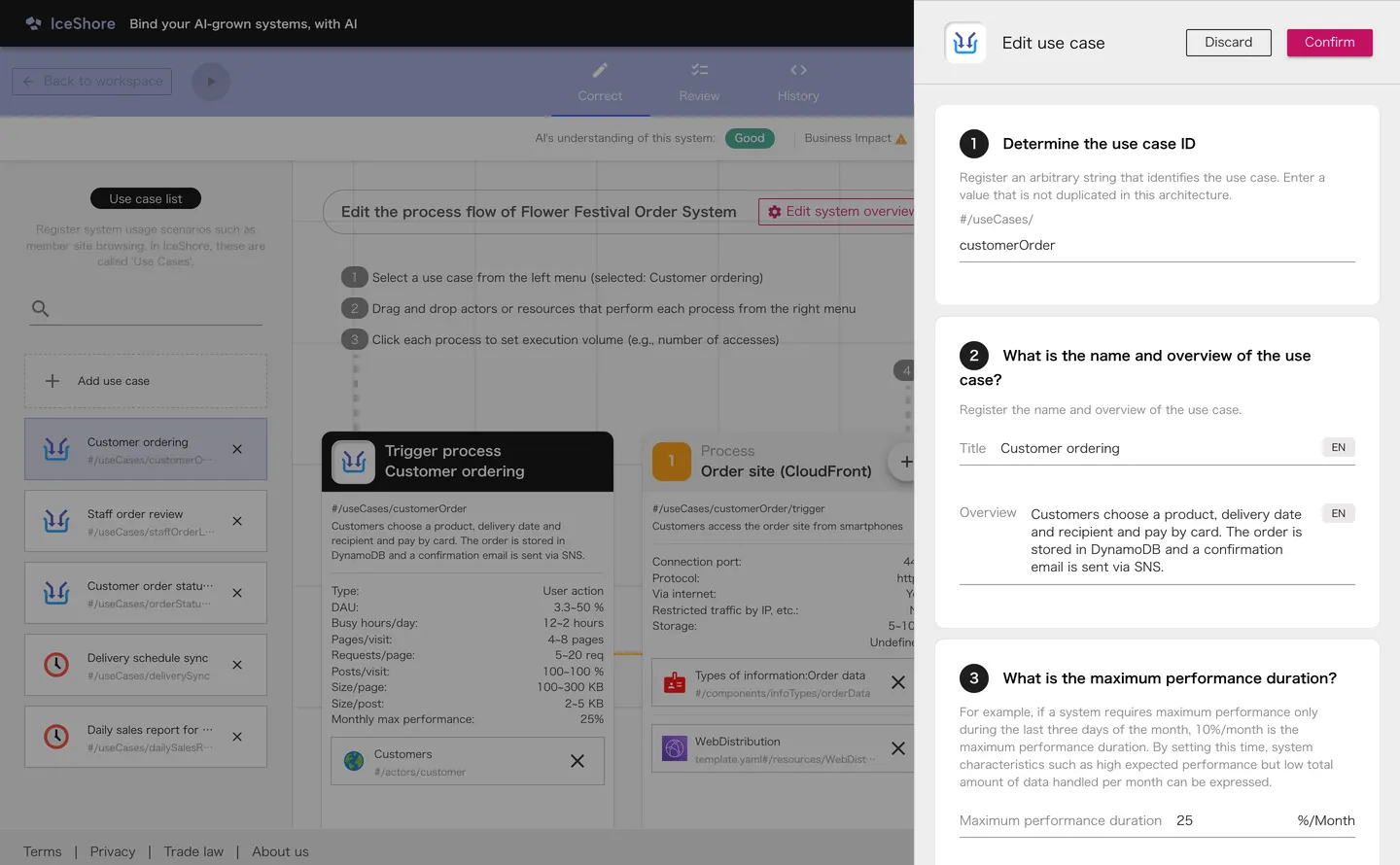
3
System maintenance
Your AI uses the diagrams registered in IceShore to answer your system maintenance questions.
“Our front-line team built this Slack bot with AI. Who’s affected if we shut it down?”
Sample answer for the “Torvessa Sales Stock & Quote Slack Bot” sample diagram
“There’s no one left to ask who’s affected if we shut down this API.”
Sample answer for the “Flower Festival Order System” sample diagram
“AI deleted that code. Which features will break?”
Sample answer for the “Kesmordia Expense Workflow” sample diagram
4
Keep it current
When the architecture changes, just ask your AI to update the diagram. No redrawing diagrams or updating documents by hand.

Why use IceShore diagrams to investigate impact?
More accurate AI answers
AI is good at reading code, but code alone doesn’t tell it who uses the system, how many people, or which business tasks depend on it. And an AI that has read piles of scattered documents tends to make worse decisions as its context fills up. That’s why IceShore diagrams, which gather the information it needs in one place, work well for AI.
Resilient to handovers
AI makes mistakes too. Catching them and steering it right still takes people who understand the system.
That’s why IceShore diagrams, which show the use cases at a glance, help a new owner quickly understand a system they’ve inherited.
What you can do with IceShore
Your AI gets better at system maintenance.
FAQ
Does it cost anything?
Free for one person, with no time limit. Teams pay per seat per month (Team $19, Business $39, excl. tax). Team and Business come with a 14-day free trial.
Which AI tools can I ask from?
Any AI that supports MCP, such as Claude Code, Codex and Cursor.
Are the AI’s answers correct?
Answers are limited to what the architecture diagram contains. IceShore tells the AI to base its answers on the use cases and user counts in the diagram, and to say so when something isn’t written there.
Can my team use it?
Invite members, and your team can view the same diagrams and ask the AI questions about them.
Can I try it without signing up?
Public samples open without signing up. You can also ask your AI questions about the samples.
Bind your AI-grown systems, with AI.
Start maintaining your systems with IceShore today.